
The three utilities the developer names
| Utility | Documented interaction | Check the purpose |
|---|---|---|
| Paint app | Create drawings within the simulated desktop. | A drawing belongs to the in-game utility; no external image editor is required by the listing. |
| Screen recorder | Record the in-game screen. | Do not assume the captured screen is automatically a real video file exported to your PC. |
| Camera | Take pictures inside the office simulation. | The original retaliation clip also displays a Camera window facing a coworker and desk. |
Sources: Steam: official game listing KitSkii: caller retaliation clip · 2026-09-18
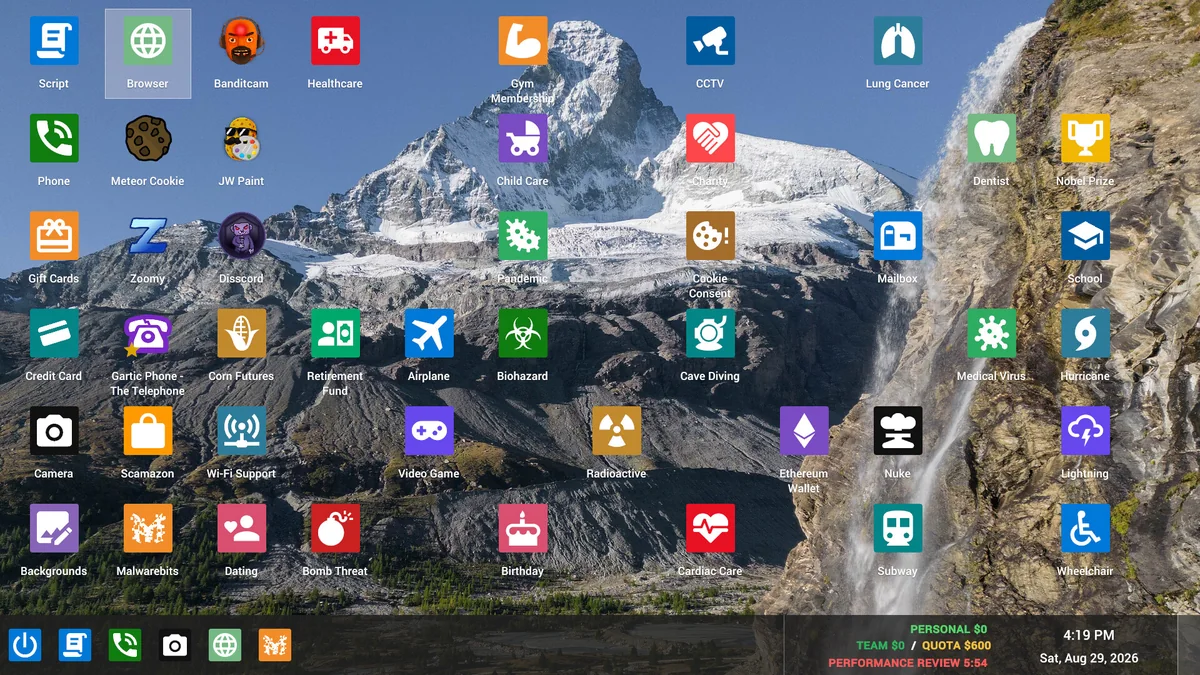
Your desktop is different from a caller’s computer
These utilities are tools on the simulated desktop. The separately described remote-access mechanic interacts with a fictional caller’s computer. Opening paint or the camera does not itself establish a remote session or complete an earning transaction.
For the money-making loop, follow how to play and the daily quota. For conversation input and feedback, use AI callers.
Sources: Steam: official game listing Jatater Worldwide: game overview
Availability and completion limits
Use the apps actually offered in your installed build and workday. Dated recordings describe apps being added or moved in the unlock schedule; a promotional desktop full of icons is not a complete current app catalogue.
The primary material reviewed here does not establish universal keyboard shortcuts, a save/export path, a recording format or a durable gallery across runs. Check the app’s displayed result in the current build before relying on an export. The presence of a screen-recorder feature is not evidence of an MP4 appearing in a particular Windows folder.
The boss review can replay a conversation, as the narrated starter video shows. That review playback is a separate demonstrated feature; it does not prove that every clip was captured using the desktop screen recorder.
Sources: Steam: official game listing Rybolt: solo playtest recording · 2026-09-23 SIMPLYAMAZING: narrated playtest recording · 2026-10-05